

 RETURN
18.01.2021
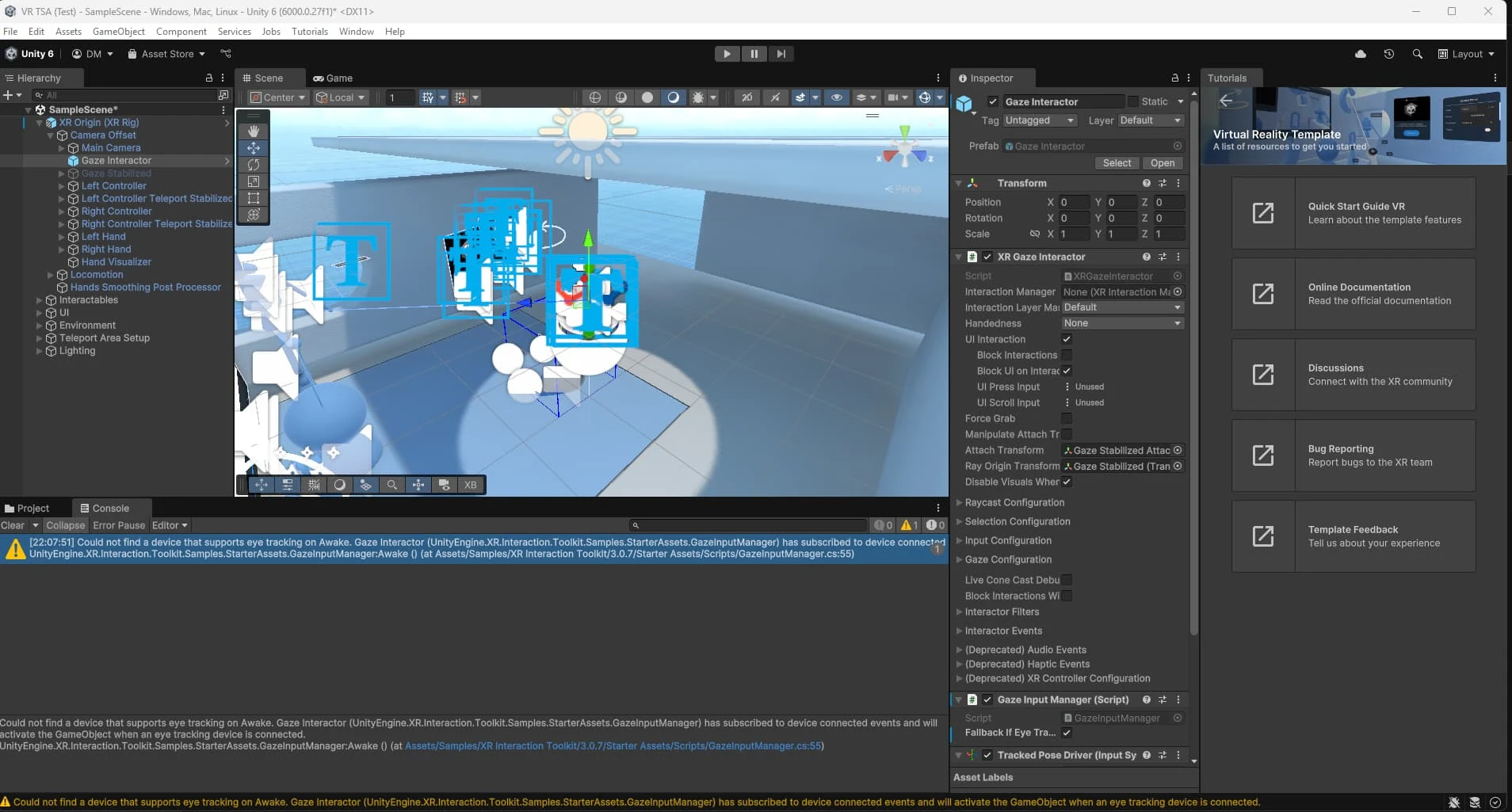
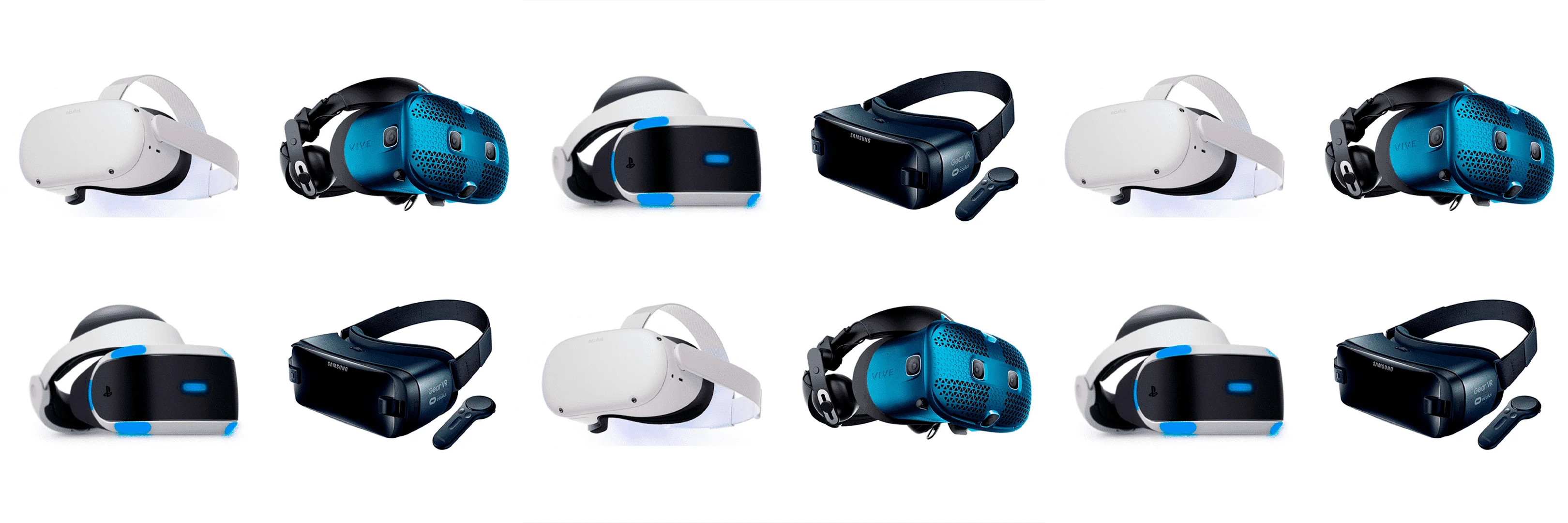
TYPES OF VR DEVICES | What are the types of Virtual Reality glasses that exist?

HIPEREXPERIENCIA
LOADED


Have you ever wondered how the immersive experiences you see at trade shows, events, stores, or even in the Metaverse are created? At DeuSens, we have been developing Extended Reality (XR) projects since 2014—including virtual, augmented, and mixed reality—and in this article, we want to show you, in a simple and accessible way, what tools we use in our day-to-day work as a professional studio.
We're going to review the graphics engines, web frameworks, 3D design and modeling software, 360º video solutions, and other tools—including Artificial Intelligence—that help us turn an idea into a real immersive experience.
Graphics engines are the heart of any XR project. They are the environments where the immersive experience is built and programmed, from 3D objects to interactions and physics of the environment.
At DeuSens, we regularly work with different graphics engines depending on the specific needs and characteristics of each project:
It is one of the most widely used engines in XR development thanks to its flexibility and large community. We use it mainly in virtual reality and augmented reality projects, both for devices such as Meta Quest and HoloLens, and for mobile apps.
It enables rapid, multi-platform development, making it ideal for XR experiences that need to scale or adapt to different devices.
When a client needs a project with a high level of visual realism, Unreal Engine is our go-to tool. Its graphics power allows us to create visually spectacular immersive experiences, perfect for events, showrooms, or interactive installations.
In addition, its BluePrints system allows us to work more visually, which speeds up certain developments.
Since Fortnite launched its UEFN editor, we have been using it to create immersive gamified experiences within Fortnite itself, taking advantage of its large community. This platform allows us to work at a professional level within a social and accessible environment, ideal for experiential marketing campaigns.
When we are looking for a lighter solution, directly from the browser, we use PlayCanvas, a WebGL-based 3D graphics engine. It allows us to create XR experiences accessible from any device without the need for installation, ideal for web campaigns or high-traffic activations.
Not all immersive experiences require virtual reality headsets or augmented reality glasses. Sometimes, the most effective solution is something that works directly from the browser, without downloads or installations. For those cases, at DeuSens we use web frameworks that allow us to create interactive 3D experiences accessible from any device.
It is one of the most powerful and versatile frameworks for creating 3D graphics on the web. In our studio, we use it when we want to have complete control over 3D rendering, for example, in product configurators, interactive environments, or immersive microsites.
Three.js is especially useful for highly customized developments, where every detail of the journey or interaction matters.
A newer tool with a lot of potential. Needle integrates with Unity and allows you to export 3D experiences directly to WebXR and WebGL, which makes it much easier to take an XR development from Unity to the browser without losing visual quality.
We have found it very useful for rapid prototyping or for clients who want multi-platform XR experiences.
It is a lighter and more specific library that allows you to view 3D models on the web with very good performance. We use it in cases where what is needed is to show a product in 3D with basic rotation, zoom, and integrated AR functions, without the need for complex programming.
Thanks to its native augmented reality support (AR Quick Look and Scene Viewer), it allows you to launch AR experiences directly from Android or iOS mobile devices.
Behind every XR experience we develop at DeuSens, there is a tremendous amount of creative and technical work involved in designing the elements you will see and interact with. Virtual scenarios, objects, characters, animations... everything starts from the same foundation: 3D modeling.
For us, Blender is the key tool in this phase of development.
Our team uses Blender as our main 3D modeling program, not only because it is open source and free, but also because it offers a powerful combination of professional features, performance, and versatility.
We use Blender for all stages of the creative process:
In addition, one of the great advantages of Blender is its ability to integrate seamlessly into the XR workflow. We export models directly in formats compatible with our graphics engines or web frameworks, ensuring that visual quality is maintained without sacrificing performance.
An immersive experience is not just about technology: it is also about aesthetics, narrative, and visual communication. That is why, in addition to modeling and programming, at DeuSens we devote a significant part of our work to designing, editing, and producing multimedia content that brings coherence and visual appeal to each project.
To do this, we regularly use the entire Adobe Creative Cloud ecosystem, which allows us to cover everything from graphic creation to video post-production and visual effects.
The key tools for creating textures, interfaces, iconography, and visual elements that are integrated into XR experiences. We also use them in earlier stages for screen design, wireframes, or layouts, especially in projects that combine 3D with interactive HUD (head-up display) layers.
Ideal for generating motion graphics, visual effects, and animated compositions that we use in mixed experiences, promotional videos, or as part of immersive content. For example, when a client needs a striking visual intro for a VR experience, or to animate floating information within a 3D environment.
It allows us to assemble and edit the videos that form part of many of our XR experiences, whether in traditional format or in versions adapted to 360º video or virtual reality. It is also essential when we produce content for presentations, events, or trade shows, where interactive elements are combined with audiovisual content.
Not all XR experiences require special glasses or devices. In fact, one of the most accessible and effective formats for creating a sense of immersion is 360º video or interactive virtual tours. At DeuSens, we use these tools to create immersive solutions accessible from any browser, ideal for training, tourism, retail, or online events.
This is one of our favorite tools when it comes to creating interactive virtual tours, both with panoramic images and 360º video. It allows us to design navigable environments where users can move freely, explore points of interest, activate multimedia content, and even integrate forms or external links.
In projects such as visits to industrial spaces, educational centers, or temporary exhibitions, 3DVista gives us the agility we need to deliver an immersive and functional experience without having to develop everything from scratch.
Occasionally, when working with Insta360 cameras, we use their specific software for the early stages of post-production: stitching and video stitching, stabilization, and exporting in formats compatible with virtual reality.
We also use Adobe Premiere Pro for 360º video editing, especially when working with content recorded with spherical cameras. We can correct color, add effects, or include graphic elements that are then seamlessly integrated into the immersive environment.
At DeuSens, we always seek to incorporate emerging technologies that enhance our creative and productive process. In recent years, artificial intelligence has become a key tool, especially in the early stages of XR experience development: scripting, visual ideation, mood board generation, and rapid content production to validate concepts.
These are some of the AI tools we regularly use in our workflow:
It allows us to generate high-quality conceptual images from text descriptions. It is ideal for visualizing styles, environments, characters, or scenarios before moving on to 3D modeling. In projects where the client needs several aesthetic proposals to decide on a direction, Midjourney helps us speed up that visual validation.
We use it both for writing interactive scripts and for resolving technical questions or exploring interaction ideas. It allows us to quickly and flexibly sketch out decision trees, branching dialogues, or narrative structures, which is very useful in gamified or educational XR experiences.
An AI tool for video generation and editing. In some projects, it has allowed us to automatically create visual effects, backgrounds, or transitions, which streamlines processes in promotional videos or content for events.
Used in a similar way to Midjourney, but with a more versatile approach for projects where we need to generate custom images for interfaces or secondary graphic elements.
Every XR experience requires a technical foundation that allows for control over the logic, interactions, and behavior of the elements in the environment. At DeuSens, in addition to visual design and modeling, we dedicate a significant part of our work to custom development using specific programming languages and scripts.
These are the languages and environments we typically work with:
Unity uses C# as its main language, and our team has mastered it thoroughly. It allows us to control everything from basic interactions to complex navigation systems, UI, physics, user logic, and specific hardware integration (sensors, controllers, etc.).
For developments in Unreal Engine, we combine the visual power of Blueprints with scripting in Lua, especially when working with Unreal Engine for Fortnite (UEFN). This allows us to design game mechanics, social interactions, or gamified behaviors within existing immersive environments.
In browser-based developments—using Three.js, PlayCanvas, or Model Viewer—we work primarily with JavaScript and, when the project requires it, with TypeScript to improve code scalability and robustness.
This stack allows us to control the behavior of 3D models, integrate external APIs, manage navigation and transitions between scenes, or develop custom logic for configurators or interactive experiences.
During the modeling phases, we use Python scripts within Blender to automate repetitive tasks or generate complex structures with parameters, which saves us time and improves consistency across projects.
As you have seen, developing an XR experience goes far beyond choosing a single program or graphics engine. It requires combining several specialized tools, both creative and technical, and above all, having a team that knows how and when to use them to achieve a functional, impactful result that is aligned with the client's objectives.
At DeuSens, we have been working with companies from all sectors for years to design memorable immersive experiences. We are experts in the main 3D modeling software, graphics engines, web frameworks, and multimedia production tools, and we are always up to date with new technologies such as artificial intelligence and the metaverse.
Do you have a project in mind and don't know where to start? Write to us and tell us about your idea. We'll help you transform it into a real XR experience tailored to your needs.
Contact us
SIMILAR CONTENT
PRIVACY POLICY
By chatting you accept our Privacy Policy.
By chatting you accept our Privacy Policy.
Conversation sent. We will be in touch shortly. New conversation


